

Hello everyone, this is Global CPA ✨
In the previous post, I organized how to complete the FACSUSA evaluation process for states such as Maine and Vermont.
In this post, I wanted to briefly summarize:
- how to apply for the NTS (Notice to Schedule)
- and how to actually reserve your exam date.
Overall Process
FACSUSA Registration
→ Evaluation Application & Document Submission
→ Fee Payment
→ NTS Issuance
→ Exam Scheduling
1. Applying for the NTS
1-1. Creating a NASBA Account
Once your FACSUSA evaluation has been completed (which usually takes around one to one and a half months), the next step is creating your NASBA account.
NASBA stands for:
National Association of State Boards of Accountancy
Since CPA licensing in the United States is managed separately by each state board, NASBA essentially functions as the central coordinating organization.
Official Website:
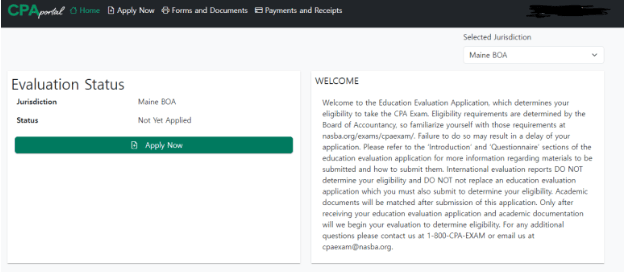
1-1-1. Accessing the CPA Portal
From the NASBA homepage:
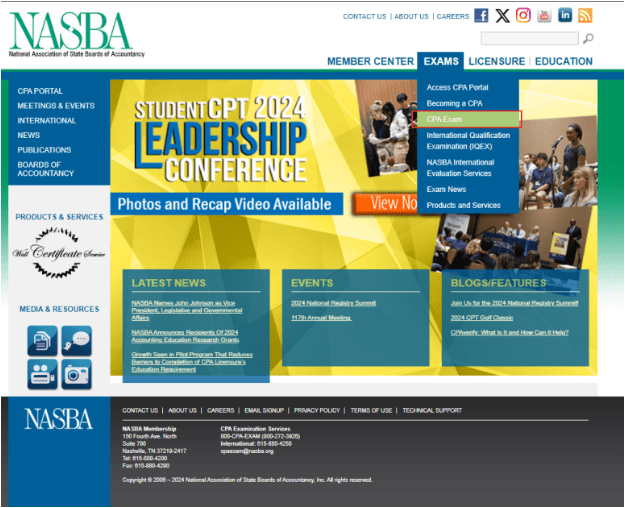
CPA EXAM
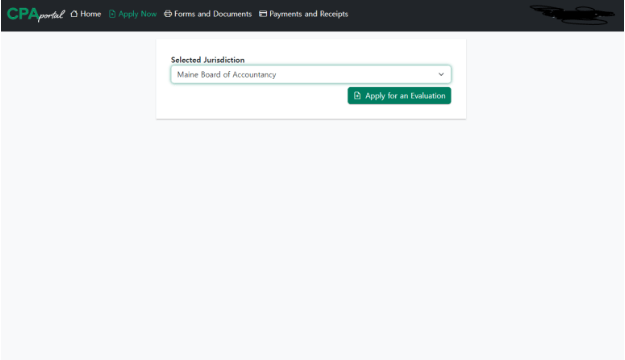
→ Select your state (for example, Maine)
→ Apply Now
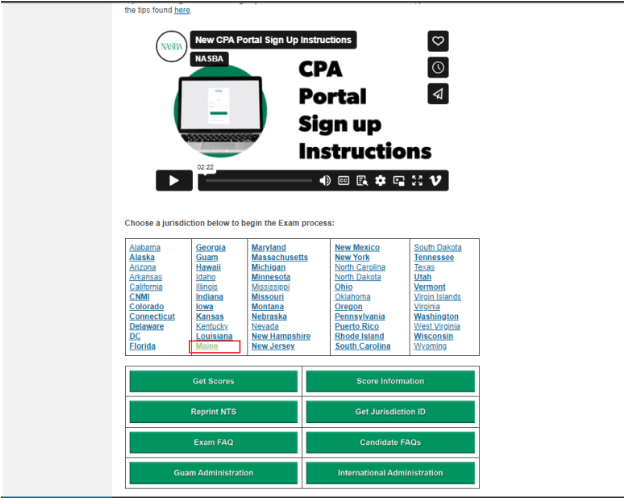
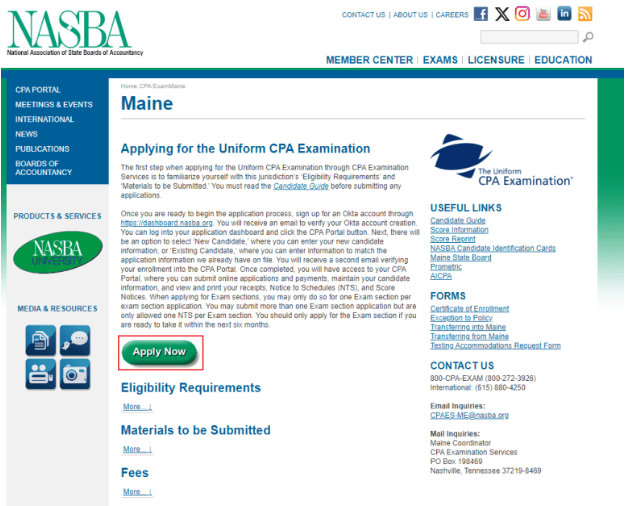
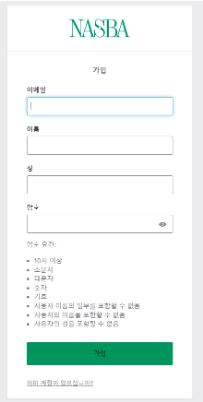
Then proceed to create your NASBA account.
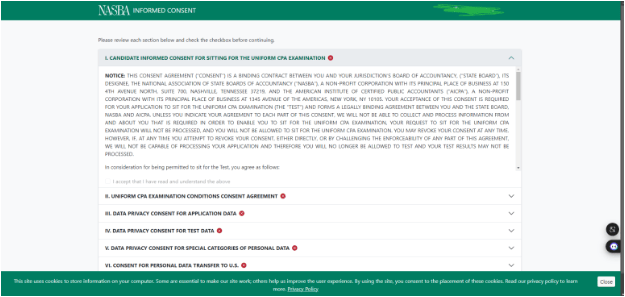
1-1-2. Agreeing to Terms & Accessing the CPA Portal
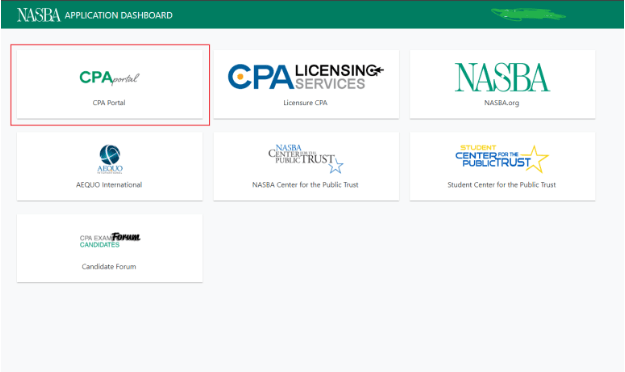
After registration:
- agree to the terms and conditions
- enter the CPA Portal
- select your state board
One small detail:
you usually must scroll all the way to the bottom before the “Accept” button becomes clickable.
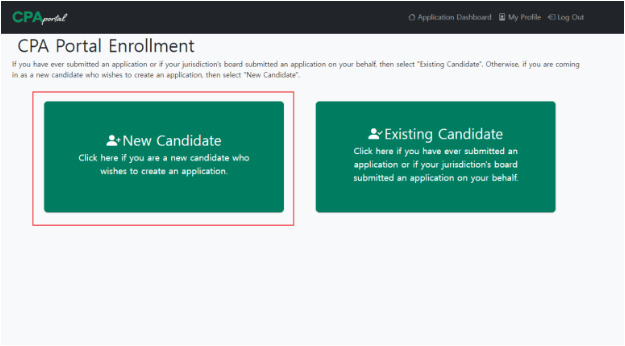
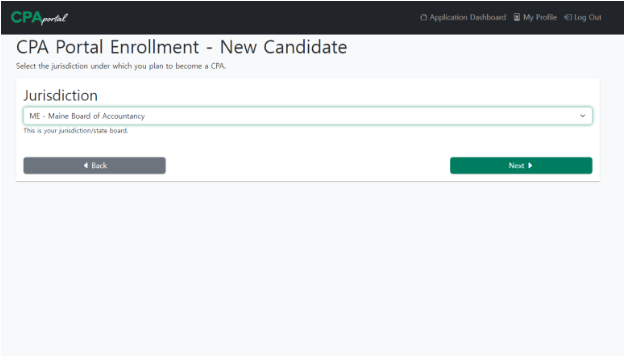
Then select:
- “New Candidate”
- choose your state (Maine in my case)
and continue with the application.
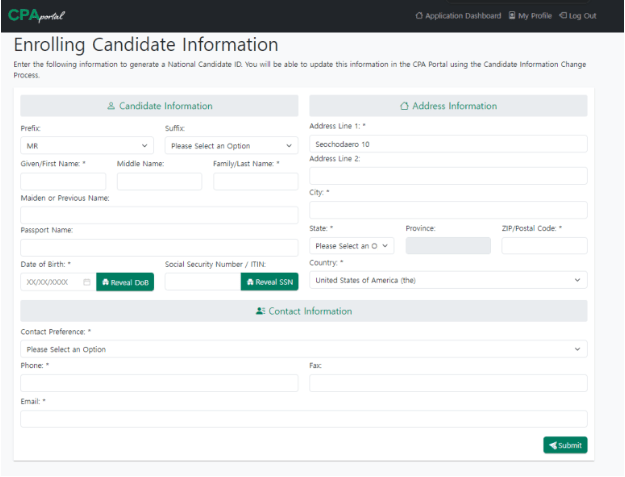
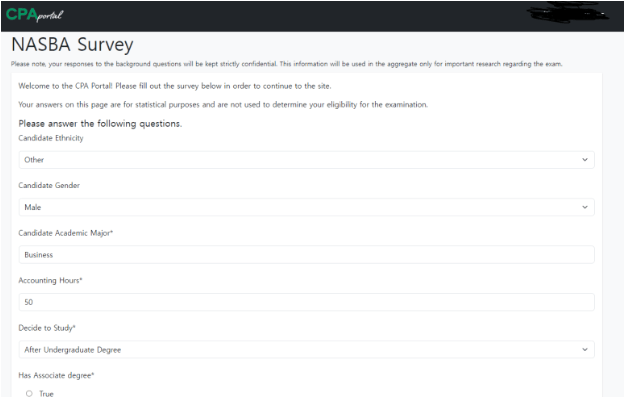
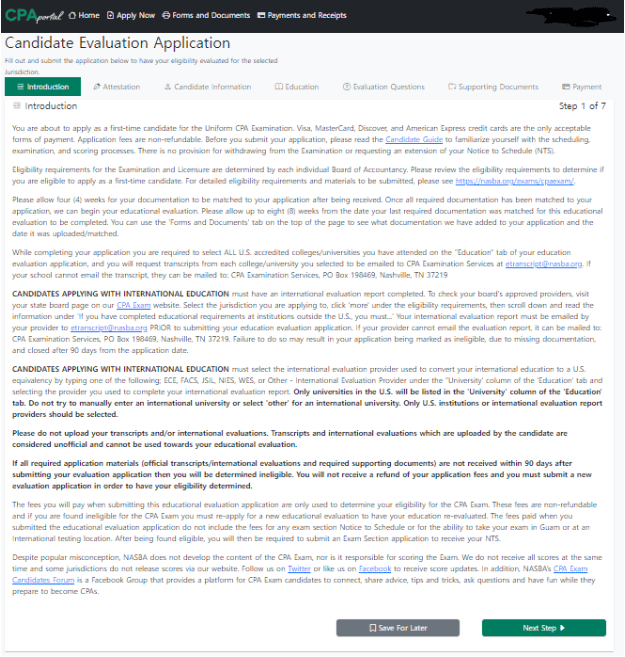
1-1-3. Entering Personal Information
At this stage, you will enter:
- personal details
- academic information
- accounting credit hours
- and educational background.
One section that sometimes confuses international candidates is the Social Security Number field.
A Social Security Number (SSN) is somewhat similar to a national identification number used in the United States.
It is generally issued to:
- U.S. citizens
- permanent residents
- and foreign workers with authorized employment status.
Most international candidates will not have one, and leaving the field blank is completely normal.
1-1-4. Selecting the Evaluation Agency
Toward the final section of the application, many international candidates become confused because their foreign universities may not appear properly inside the NASBA system.
That is completely normal.
Since your academic evaluation has already been completed through FACSUSA, simply select:
“FACSUSA”
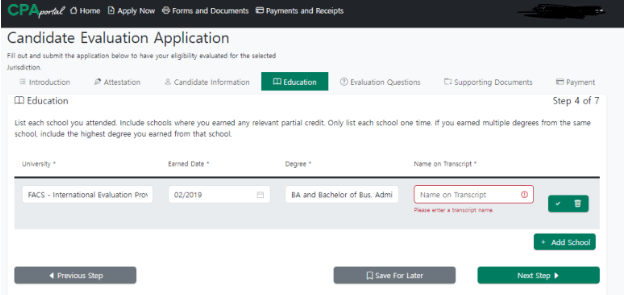
as your evaluation agency and continue entering the remaining information.
At this point, another fee payment appears…
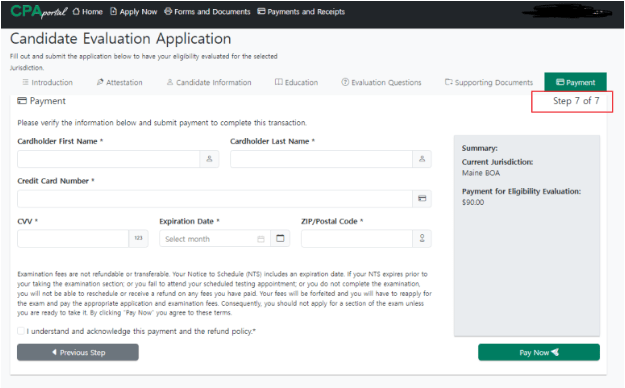
Around $90
1-2. Paying for the NTS
Once your NASBA registration is completed, I highly recommend bookmarking the CPA Portal.
You will use it constantly throughout your USCPA journey for:
- NTS applications
- score releases
- section status checks
- and licensing updates.
After your FACSUSA evaluation is fully processed, your status inside the portal will eventually show:
“Eligible”
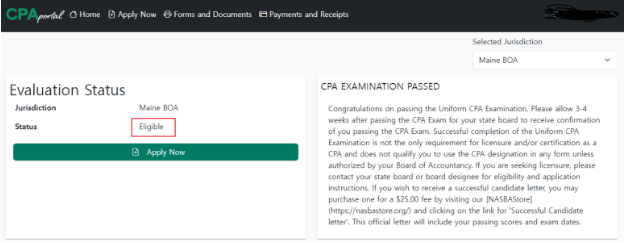
Once that appears, you can immediately proceed to:
“Exam Selection”
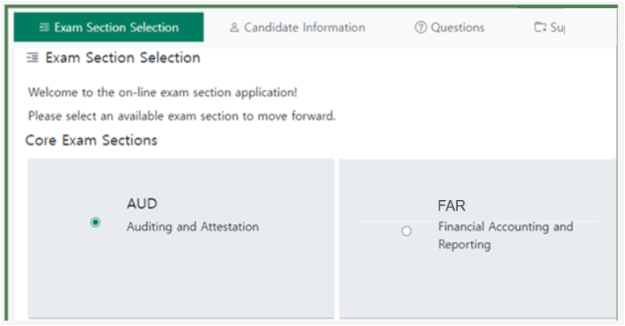
and submit payment for the section you want to take.
From what I remember, each NTS application cost roughly around $360 per section, which felt incredibly expensive.
Approximate Costs So Far
By this stage, the approximate expenses were:
| Item | Cost |
|---|---|
| FACS Evaluation Fee | ~$385 |
| Notarization | ~26,000 KRW |
| NASBA Registration Fee | ~$90 |
| NTS Fee (per section) | ~$360 |
So before even taking the exam itself, the total cost had already exceeded approximately 1.1 million KRW.
Compared to domestic exams, the USCPA process definitely feels significantly more expensive.
Fortunately, unlike the evaluation process, NTS issuance itself is relatively fast.
Usually, once payment is completed, the NTS is issued within a few days.
2. Scheduling the Exam
Once the NTS has been issued, there is only one final step left:
Scheduling the exam.
The website used for scheduling is:
https://proscheduler.prometric.com
One major difference from the Korean CPA exam is that the USCPA does not have a single fixed nationwide exam date.
As long as seats are available, candidates can choose their own exam date and time.
So if you find an available seat that fits your schedule, I strongly recommend reserving it immediately.
If your preparation is not going well later, rescheduling is usually possible.
2-1. Searching for Availability
Inside Prometric:
- click “Search Availability”
- choose:
“Uniform CPA Examination”
The official U.S. exam name is:
Uniform CPA Examination
since the same exam is administered uniformly across multiple state jurisdictions.
When selecting your exam section, make sure to choose the:
“International” version of the exam.
For location, you can simply type:
“Seoul”
and choose your preferred date range.
The search window usually allows up to two weeks at a time.
At least when I took the exam, Seoul was the only testing center available within Korea.
If you are taking the exam in another country, it may be helpful to first confirm whether a Prometric center exists in your city.
2-2. Selecting Your Exam Time
Once availability appears, you simply choose:
- your preferred date
- and available time slot.
Typically, available sessions are:
- 9:00 AM
- or 1:30 PM
depending on seat availability.
2-3. Final Scheduling
To officially schedule the exam:
- select “Schedule” inside Prometric
- enter the information shown on your NTS
- choose your seat and confirm the reservation.
Once completed, your exam reservation is officially finished
Final Thoughts
In this post, I organized:
- the NTS issuance process
- and how to schedule the actual exam.
Every time I look back at the process, I still feel that the USCPA application system is surprisingly complicated — and expensive
But despite all of that, I genuinely believe the long-term value of the license makes the process worthwhile.
So for everyone currently preparing to begin the USCPA journey, I sincerely wish you the best of luck 🙂
In the next post, I’ll finally begin sharing:
- how I studied each section
- my personal strategies
- and what helped me pass all four sections while working full-time.
Thank you again for reading!!
P.S. Since some readers asked about notarization examples, I also uploaded a sample document 🙂
 Global CPA
Leave a comment